One creative, every placement, in minutes.
Patricia takes the master ad and adapts it to every placement across Meta and TikTok, feed, story, reel, square and vertical, keeping the brand intact. The launch ships in all sizes without a designer spending a day in the resize mines.
🖼️ Marigold spring hero is approved. I've adapted it to every placement:
- Meta: 1:1, 4:5 and 9:16 for feed, story and Reels
- TikTok: 9:16 with the safe zones respected
- Brand kept intact, fonts, colours and logo placement checked


@Pati nice. Nudge the logo up on the 9:16 and push them all to the Marigold ad sets.
Done. Logo lifted above the caption safe zone on the vertical, and all sizes are exported to the Marigold project and queued to the right ad sets. Want a couple of alternate hooks for testing while we're here?
The old way
How agencies do this today.
A concept is approved, and then the real work starts: rebuilding it, by hand, in fifteen sizes.
The resize day nobody wants
A designer spends a full day rebuilding one approved concept into every placement, instead of making new work.
The placement that shipped broken
The 9:16 got cropped wrong, the logo fell off the safe zone, and it went live before anyone noticed.
The generator that's off-brand
A batch tool spits out sizes, but the fonts, colours and spacing drift, so everything needs fixing by hand anyway.
Inside Patricia
What it looks like when she owns it.
Setup
Running in minutes, then it's hers.
Step 1
Add Patricia to Slack
She joins your workspace like any teammate. Two minutes, no engineering.
Step 2
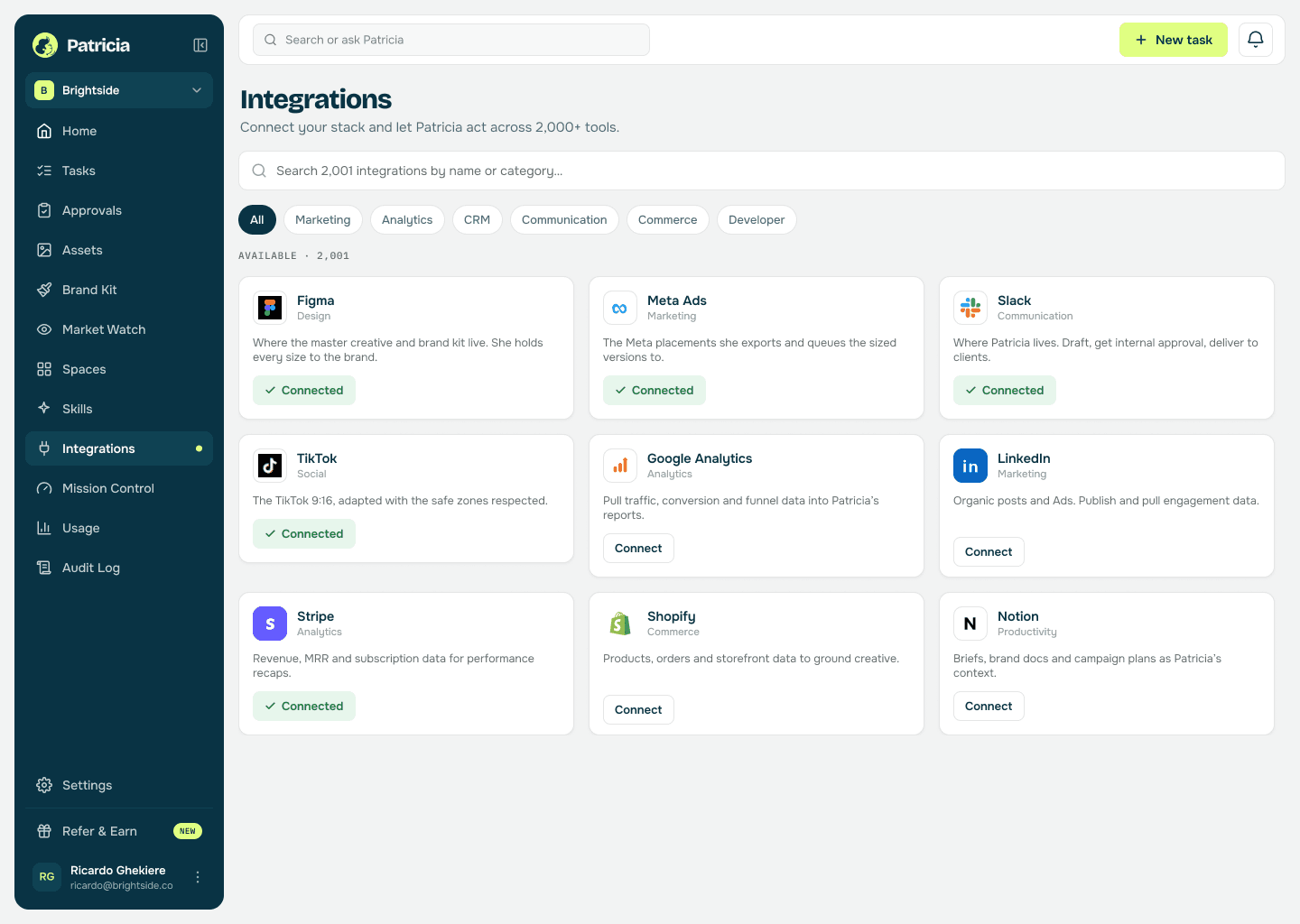
Connect Figma and the ad accounts
So she can pull the approved master, keep the brand kit intact, and push the sized versions to Meta and TikTok.
Step 3
Give her the master and the placements
One approved concept and the placements you run. She learns your brand rules and safe zones once.
Step 4
She ships every size
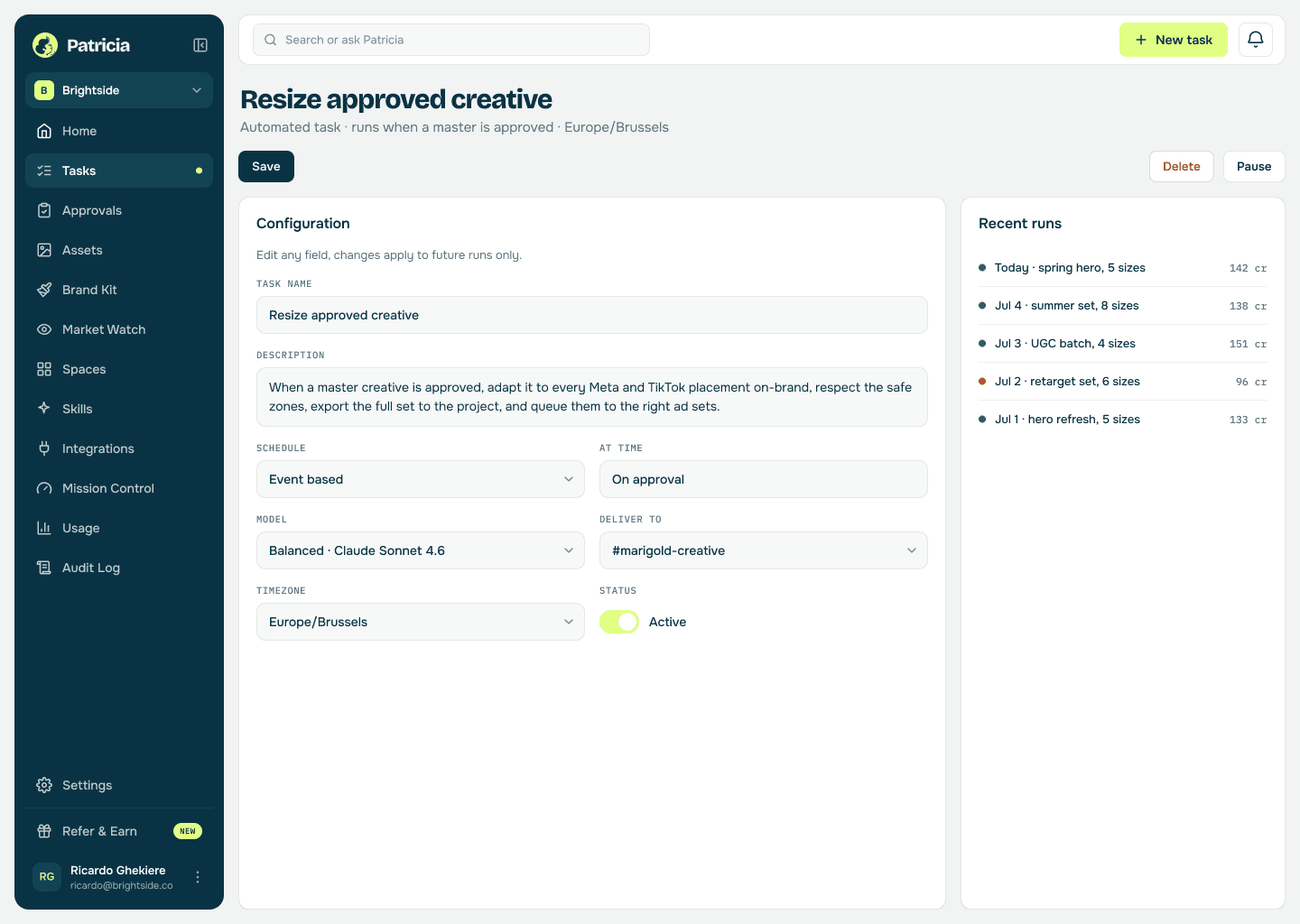
Adapted on-brand, safe zones respected, exported to the project and queued to the right ad sets, in minutes not a day.
Ad resizing
What she takes off your plate.
Real behavior of the skill, not a feature list.
Every placement from one master
Feed, story, reel, square and vertical across Meta and TikTok, adapted from a single approved concept instead of rebuilt by hand.
Keeps the brand intact
Fonts, colours, logo placement and spacing held to the brand kit, so the sizes do not drift off-brand the way generators do.
Respects the safe zones
Captions, CTAs and logos kept clear of where each platform crops, so nothing important ships cut off.
Exports and queues them
Every size exported to the project and pushed to the right ad set, so the launch is live, not sitting in a folder.
Offers the test variants
While she is in there, she can spin up alternate hooks or crops for testing, so a resize turns into a testing plan.
No off-brand generator
Resizing is one thing Patricia does, on your brand, not a separate tool whose output needs fixing by hand.
Say it like you'd say it
Things to ask her on day one.
Resize the Marigold hero for every Meta and TikTok placement
Adapt this concept to 1:1, 4:5 and 9:16
Nudge the logo up on the vertical
Export the full set and queue them to the ad sets
Give me two alternate hooks to test
Keep going
One skill down. She has more.
Patricia's value compounds when the whole workflow lives with her, not just one job.



Patricia + Slack
Where you approve the set and tweak a crop, so the whole loop stays where the team works.
FAQ
Ad resizing, answered.
Does it just crop, or actually adapt the creative?
It adapts. She rebuilds the layout for each placement, moving elements to fit the ratio and keeping captions and logos out of the crop zones, rather than dumbly cropping one image.
Will it stay on-brand?
Yes. She holds every size to your brand kit, fonts, colours, spacing and logo placement, so the set does not drift the way generic resize tools do.
Which placements and channels?
Meta and TikTok, in the ratios you run, feed, story, reel, square and vertical. Give her the placements once and she produces the full set every time.
Can she push them live?
Yes. She exports every size to the project and can queue them to the right ad sets, so the launch ships instead of waiting on someone to upload.
Is this all Patricia does?
No. Resizing is one job. The same teammate handles creative approvals, competitor monitoring, client reporting, and the rest, all in the same Slack.
One of the jobs agencies hand her. See more campaigns use cases or browse them all.
Everybody deserves a Patricia.
She handles the mess. You keep the clients. See what changes in your first week.
Pick a time that works for you. You get a live walkthrough of Patricia on real agency work, and every question answered.