Get client creative approved without the version chaos.
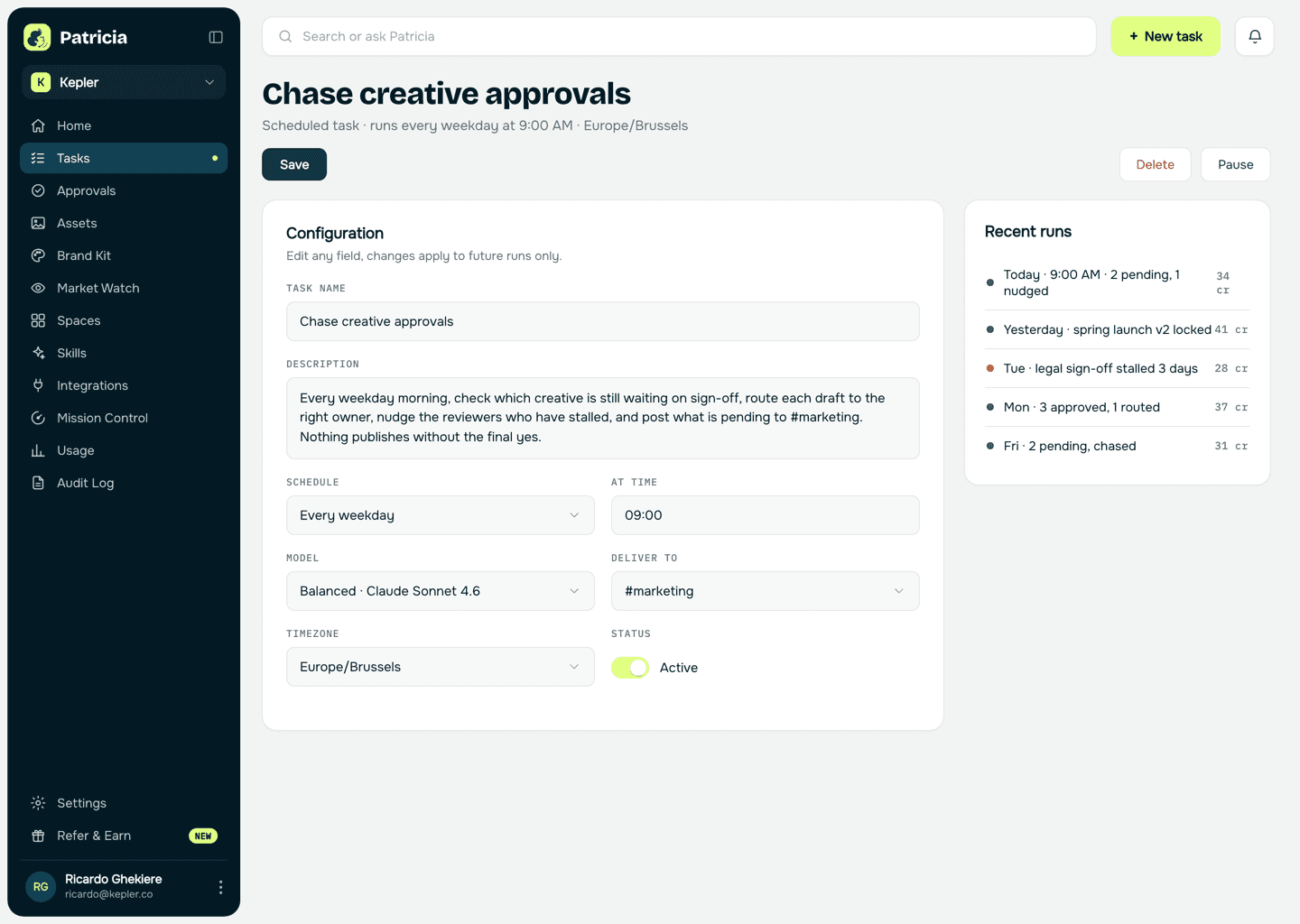
Patricia routes each draft along the path you set: brand lead, legal when it's needed, then the client for the final yes. Feedback lands in one thread, she tracks which version is approved and which is waiting, and she chases the ones that stall. No draft goes live without that yes.
🖼️ New for review: Orbit spring launch, 3 statics + 1 video (v2).
- Sign-off needed from Owen (brand) and Iris (legal)
- Then to Orbit for the final yes
- Two open comments from v1 carried over and marked resolved


@Pati I'll send it to Orbit myself. Ping me when Owen and Iris are in.
Owen and Iris both approved, so it's with you to send on. I'll chase on Thursday if Orbit hasn't come back, and once they say yes I'll lock v2 as the approved version so nothing else goes live by mistake.
The old way
How small agencies do this today.
Getting a client's creative approved is a scavenger hunt across email, chat and three folders named final.
Final_v3_REALLY_final
Nobody is sure which version the client actually signed off, so the wrong one goes live and the fix eats a day of the retainer.
The approval stuck in a client inbox
The asset went for sign-off a week ago and nobody chased, so the launch slips and the client remembers the delay, not the reason.
The proofing tool nobody logs into
A per-seat approval platform sits in the stack, but half your team and none of your clients ever open it, so the loop happens in Slack anyway, untracked.
Inside Patricia
What it looks like when she owns it.
Setup
Set up with you in 20 minutes, then it's hers.
Step 1
Add Patricia to Slack
She joins your workspace like any teammate. Two minutes, no engineering.
Step 2
Connect where the creative lives
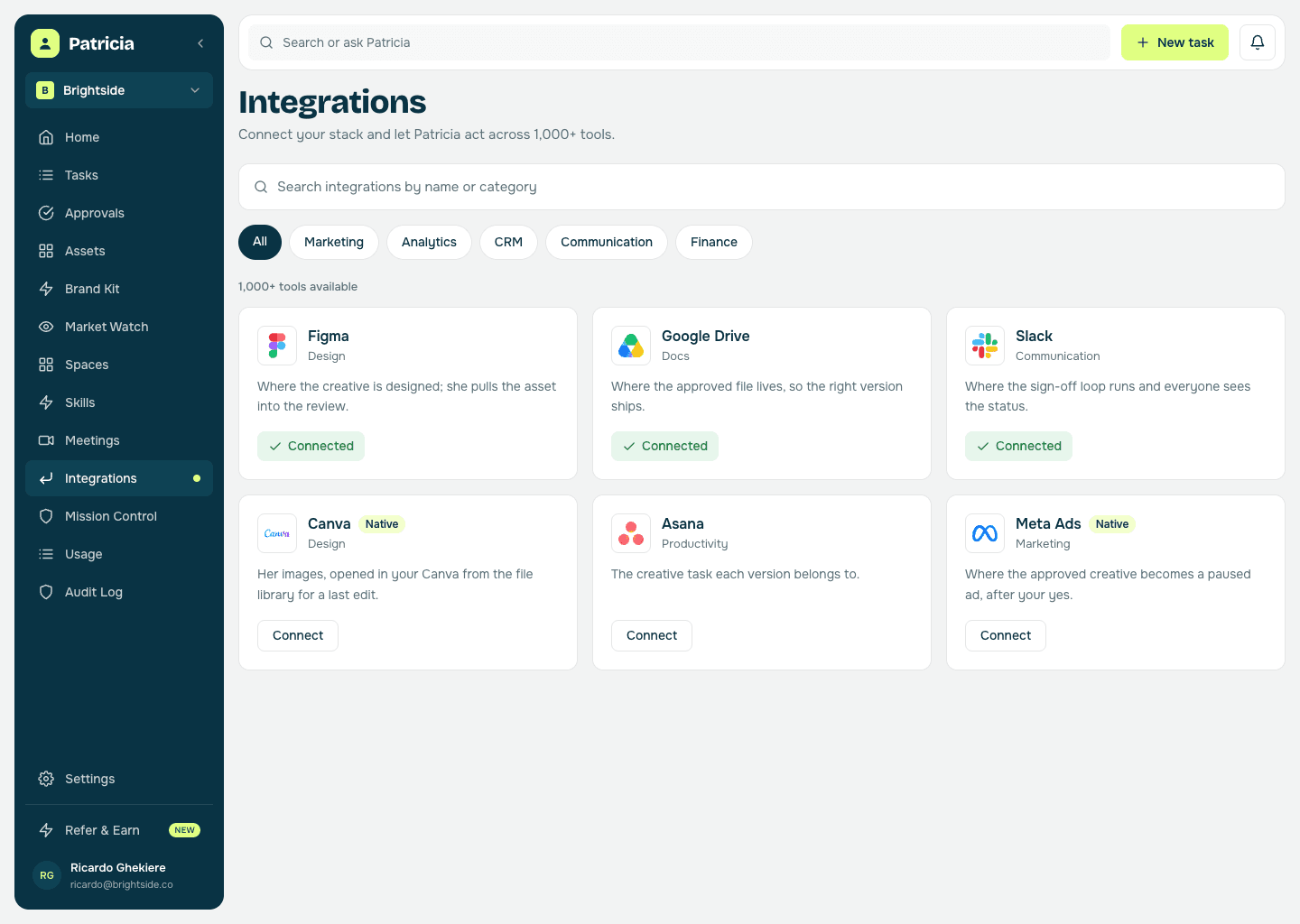
Figma and Google Drive, so she can pull the asset, the version, and the open comments into the review.
Step 3
Set the approval path
Who owns brand, who owns legal review, and which client contact gives the final yes, and in what order. She routes every draft that way.
Step 4
She runs the loop
Routes each draft, tracks the approved version, and chases whatever stalls, so nothing sits in an inbox and the wrong version never reaches the client.
Creative approvals
What she takes off your plate.
Real behavior of the skill, not a feature list.
Routes the sign-off in order
Brand lead first, legal when the asset needs it, then the client for the final yes, in the path you set, so a draft never skips a step or goes out half-approved.
Tracks the approved version
She locks the version that got the final yes, so final_v3_really_final stops being a guess and the right file is the one that runs.
Chases what stalls
When an approval has sat for a couple of days she nudges whoever owns it, so the launch does not slip because one person forgot.
Keeps feedback in one thread
Open notes from the last round follow the asset, marked resolved or not, so client feedback stops scattering across DMs and email.
No draft reaches a client unasked
Every client-facing draft waits for a named yes from your side, so you decide what the client sees and when they see it.
No separate proofing login
The whole loop runs in Slack where your team already is, not in a per-seat tool half of them and none of your clients ever open.
Keeps the audit trail
Who approved what, and when, kept automatically, so there is never a debate with a client about who gave the final yes.
Say it like you'd say it
Things to ask her on day one.
Route the Orbit spring launch creative for approval
What's waiting on my sign-off right now?
Which client approvals have stalled, and on whom?
Chase the reviewers who haven't responded
Lock v2 as the approved version
Keep going
One skill down. She has more.
Patricia's value compounds when the whole workflow lives with her, not just one job.


Patricia + Slack
Where the whole sign-off loop happens, so nothing waits in an inbox and everyone sees the status.
FAQ
Creative approvals, answered.
Does this replace our proofing tool?
For most small agencies, yes. The sign-off loop runs in Slack where your team already works, with versions tracked and approvals chased, so you are not paying a seat per person for a tool half of them never open.
How does she know which version is approved?
She tracks each version as it moves through the path and locks the one that got the final yes, so the approved file is unambiguous and the wrong one does not go live.
Can more than one person sign off?
Yes. You set the path, brand lead first, legal when the asset needs it, then the client for the final yes, and she routes every draft that way and only moves on when each step is done.
What about feedback across rounds?
Open comments follow the asset from version to version in one thread, marked resolved or not, so nothing gets lost between v1 and v2.
Does she message the client herself?
Only after a named yes. Every draft waits for a person on your side to approve it before it reaches a client, so the version a client opens is the one you meant to send.
Is this all Patricia does?
No. Approvals are one job. The same teammate handles the client report, social drafts, and the rest of the work your agency hands her, all in the same Slack.
One of the jobs teams hand her. See more content & social use cases or browse them all.
Everybody deserves a Patricia.
She handles the work your team never gets to. You build the company. See what changes in your first week.