Onboard a new client the day they sign.
The moment a client signs, Patricia spins up their channel and folders, works the onboarding checklist, chases the ad-account access and brand assets you need, drafts the welcome email, and books the kickoff. Every draft waits for your yes before it reaches the client. Week one feels sharp instead of a scramble to remember the steps.
🎉 Orbit signed. Onboarding kicked off, here's where it stands:
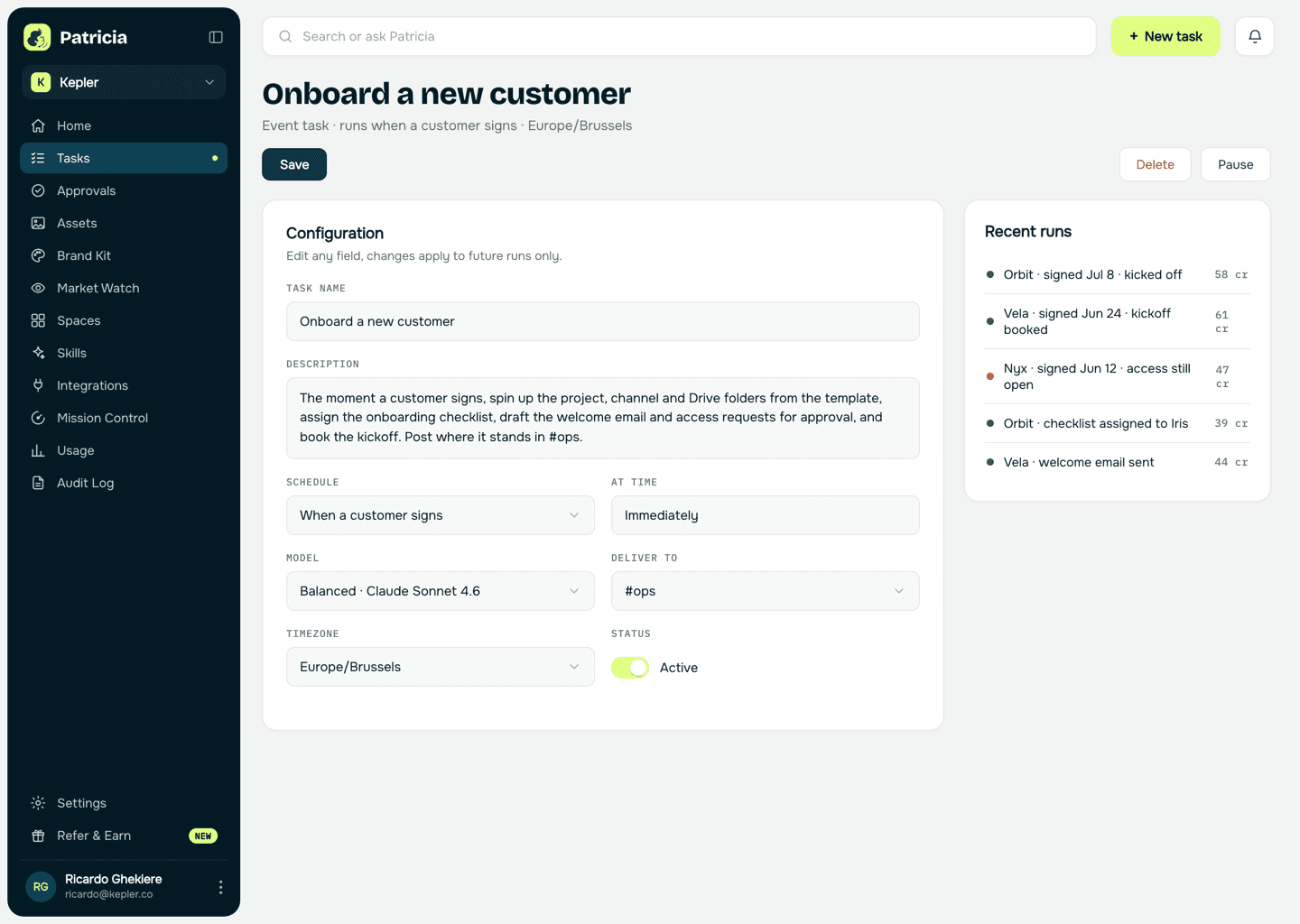
- Created the Orbit project, client channel and Drive folder from the template
- Welcome email and the ad-account access requests drafted, waiting on your yes
- Kickoff proposed for Thursday, waiting on their team to confirm


@Pati send the welcome email, assign the checklist to Iris and chase the access.
Done. Welcome email sent, the onboarding checklist is assigned to Iris with due dates, and the access request is with the Orbit contact with exactly what we need and how to grant it. I'll chase anything still open on Monday and confirm the kickoff once they pick a time.

The old way
How small agencies do this today.
A new client is the best moment to look sharp, and it is usually the most chaotic week your agency has.
The checklist in someone's head
Onboarding depends on one account manager remembering the fifteen steps, so a different one gets skipped for every new client.
The week-one access chase
Ad accounts, analytics, the brand files and the logins you need get chased one email at a time, and the first real work slips a week.
The messy first impression
The client's first experience of your agency is a disorganised kickoff and three separate requests for the same things they already sent.
Inside Patricia
What it looks like when she owns it.
Setup
Set up with you in 20 minutes, then it's hers.
Step 1
Add Patricia to Slack
She joins your workspace like any teammate. Two minutes, no engineering.
Step 2
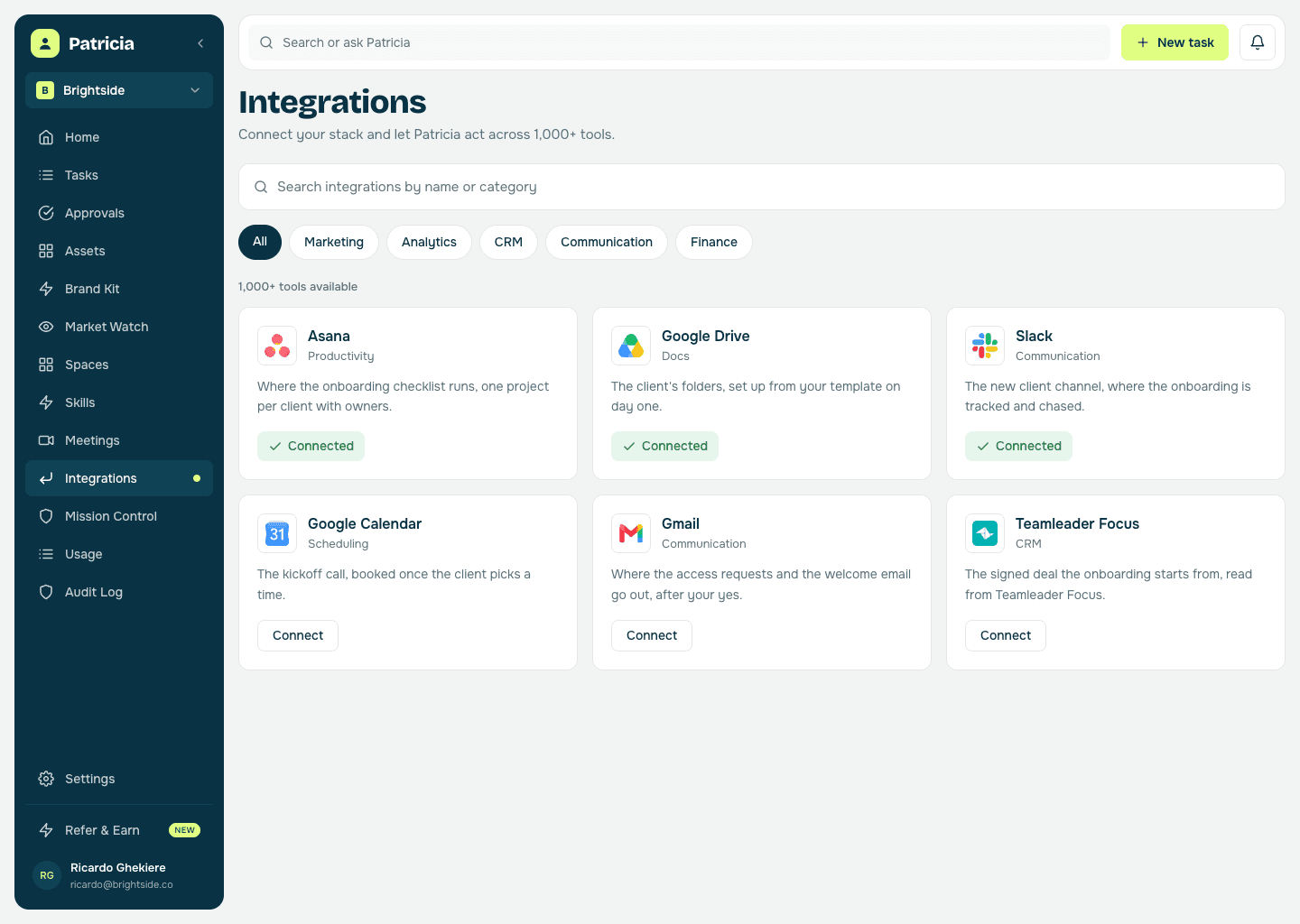
Connect Asana and Drive
So she can run your onboarding checklist and spin up the project, the client channel and the folders from your template.
Step 3
Build the template once
Your standard onboarding steps, the access and brand details you always need, and the folder structure. She reuses it for every new client.
Step 4
She runs it on signing
Workspace set up, checklist assigned, access chased, welcome email sent after your yes, kickoff booked, so week one is organised from the first hour.
Client onboarding
What she takes off your plate.
Real behavior of the skill, not a feature list.
Sets up the account instantly
Project, client channel and Drive folders created from your template the moment a client signs, so there is nothing to build by hand.
Works the checklist for you
Your standard onboarding steps assigned with owners and due dates, so the same one never gets skipped because it lived in one account manager's head.
Chases access and assets
Ad accounts, analytics, brand files and the details you need to start work, requested from the client with exactly what is needed and how to grant it, then chased until they land.
Drafts the welcome email
Written in your voice with the next steps and what you need from their side, posted for your yes before it reaches the client.
Books the kickoff
She proposes times, confirms with the client, and puts the kickoff on the calendar, so week one starts with a real meeting.
One clean first impression
The client sends things once and meets an organised agency, so the retainer starts the way you want it to continue.
Reuses your playbook
Every onboarding runs off the same template, so the fifth client this quarter is as sharp as the first.
Say it like you'd say it
Things to ask her on day one.
Onboard Orbit, they just signed
Set up the project, channel and Drive folders for the new client
Draft the welcome email and chase the ad-account access we still need
Assign the onboarding checklist to Iris
What's still outstanding on the Orbit onboarding?
Keep going
One skill down. She has more.
Patricia's value compounds when the whole workflow lives with her, not just one job.

Patricia + Slack
Where the new client channel is created and where the whole onboarding is tracked and chased.
FAQ
Client onboarding, answered.
What does Patricia actually set up?
The project, the client's Slack channel and the Drive folders from your template, the onboarding checklist with owners and due dates, the welcome email and the access requests, and the kickoff meeting. All from the moment they sign.
How does she know our process?
You build the onboarding template once, your steps, the access and brand details you always need and the folder structure, and she reuses it for every new client, so nothing is remembered from scratch.
Does she chase the client for things?
Yes. She drafts the access and asset requests with exactly what you need and how to grant it, and once you say yes she follows up until they land, so week one is not spent chasing logins.
Can it trigger automatically on signing?
Yes. Point it at your deal-won signal or just tell her a client signed, and she kicks off the whole onboarding, with every client-facing draft posted for your yes first.
Does each client get its own channel and connections?
Yes. She sets up a channel per client and the connections for that account, with access scoped per person, so an account manager only sees the clients they actually work on.
Is this all Patricia does?
No. Onboarding is one job. The same teammate handles proposals, client call recaps, invoice chasing, and the rest of the work your agency hands her, all in the same Slack.
One of the jobs teams hand her. See more admin use cases or browse them all.
Everybody deserves a Patricia.
She handles the work your team never gets to. You build the company. See what changes in your first week.