Keep every client in the loop without writing a single update.
Patricia pulls what your team actually shipped on each account from Asana, drafts the weekly what-we-did-and-what-is-next note in your voice, and sends it after your yes. No client wonders what they are paying for, and nobody on your team spends Friday afternoon writing eight of them.
✉️ This week's update for Orbit is drafted from what shipped:
- Launched the new search campaign on their account, live and pacing well
- Approved and shipped 6 spring social creatives
- Next week: the landing-page test goes live and the September plan lands


@Pati add the CPA improvement and send it to Orbit.
Done. Added the 14% CPA drop with a line on why it matters, and sent it in your voice to the Orbit contacts. Vela and Nyx are drafted and waiting in this thread for your yes. I'll do next Friday's the same way.
The old way
How agencies do this today.
Clients go quiet when they feel forgotten, and the weekly update is the first thing that slips when every account is busy.
The account that goes quiet
Three weeks go by with no word because the team was heads-down delivering, and your biggest retainer starts wondering what it is paying for. Clients churn when they stop hearing from you.
The Friday-afternoon scramble
One account manager tries to remember what happened across eight accounts this week, from memory, at 4pm on a Friday.
The update that undersells the work
A rushed note lists two things when the team actually shipped ten, so a strong week on the account reads like a slow one.
Inside Patricia
What it looks like when she owns it.
Setup
Set up with you in 20 minutes, then it's hers.
Step 1
Add Patricia to Slack
She joins your workspace like any teammate. Two minutes, no engineering.
Step 2
Connect Asana and email
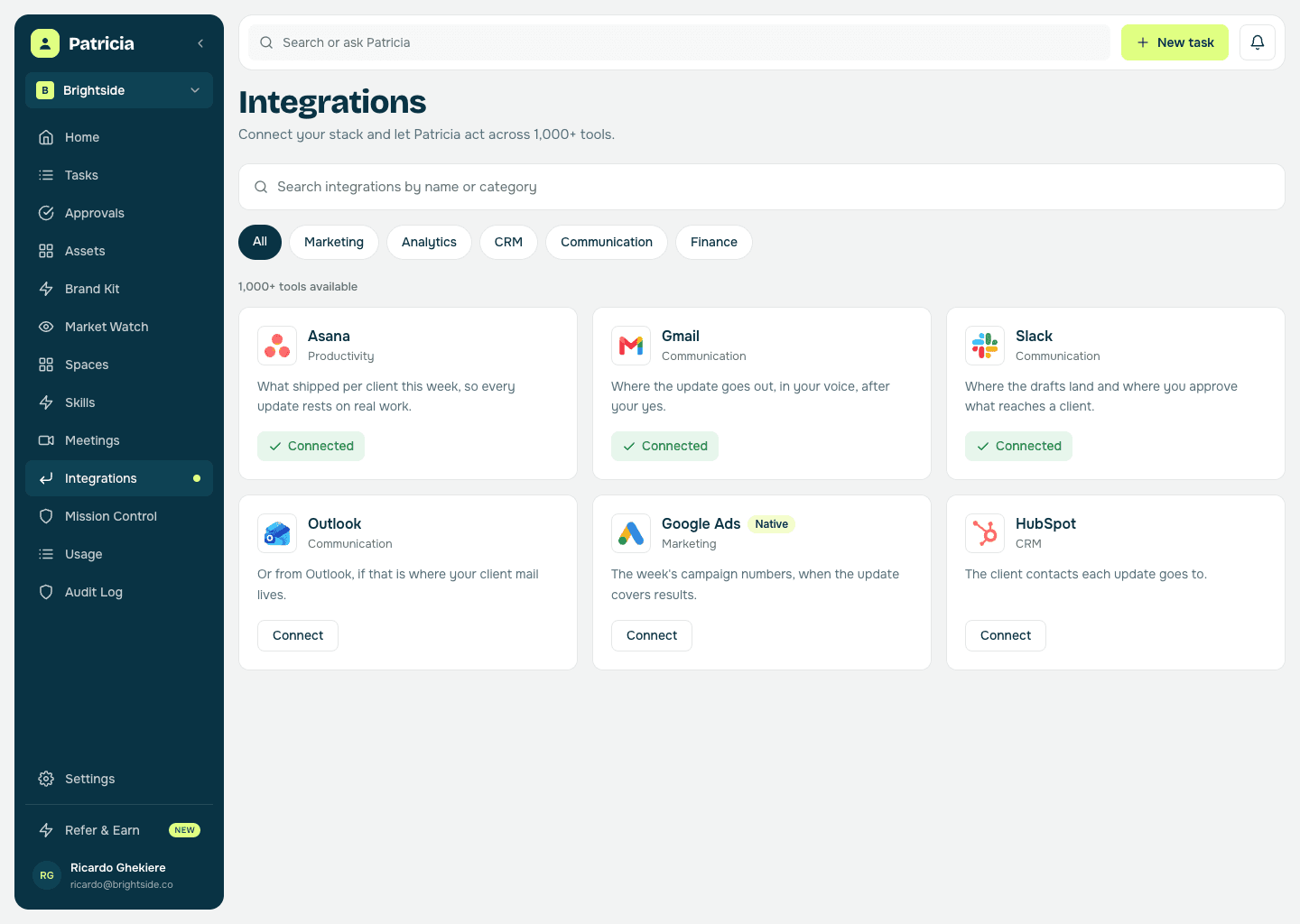
So every update is built on what the team actually shipped on that account, and goes out from your own inbox.
Step 3
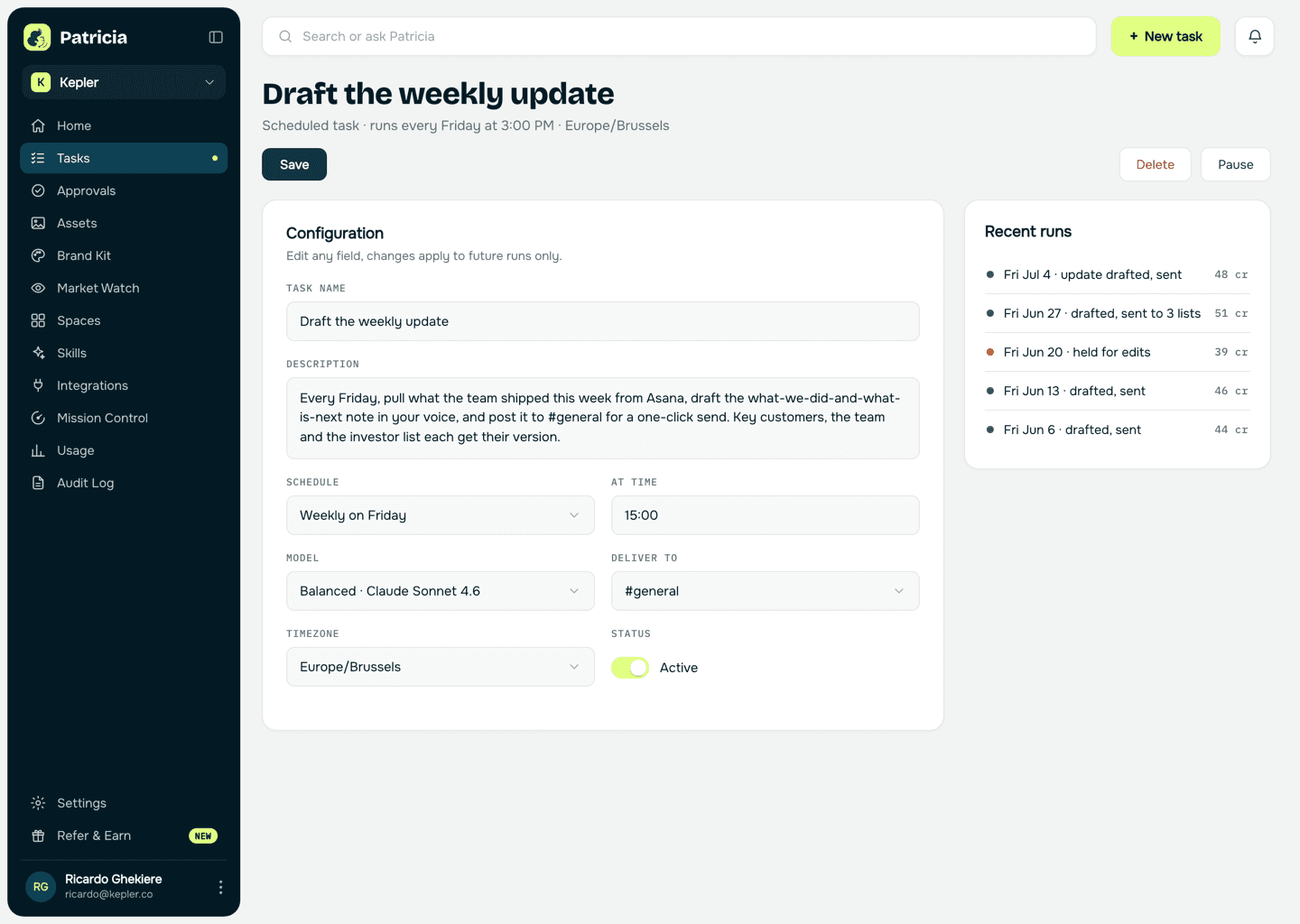
Set the cadence and voice
The day it goes out, which contacts get which note, and the tone. Each account gets its own version. She learns your voice from the first few.
Step 4
You approve, she sends
Each week she drafts one update per account from what shipped. You say yes, she sends, and no client goes another week in the dark.
Weekly updates
What she takes off your plate.
Real behavior of the skill, not a feature list.
Built on what actually shipped
She pulls the week's work per account from Asana, so the update reflects everything the team did, not the two things someone remembered on Friday.
Writes it in your voice
A short, warm what-we-did-and-what-is-next note, in your tone, so the client reads it as coming from their account manager.
Never lets an account go quiet
Every client hears from you every week. Retainers churn when they stop hearing from you; this is how they don't.
Sells the work fairly
She surfaces the wins worth calling out, like a CPA drop, so a strong week reads as strong instead of disappearing into the backlog.
You stay in control
She drafts and posts for approval. You send with a click, tweak a line, or hold one back to handle personally. No draft reaches a client without your yes.
Feeds the monthly report
Each weekly update rolls up, so the monthly client report starts from a month of real activity instead of a blank page.
Say it like you'd say it
Things to ask her on day one.
Draft this week's update for Orbit from what shipped
What did we ship for Vela this week?
Add the CPA improvement to Orbit's update
Send the approved updates to all three accounts
Which clients haven't heard from us in two weeks?
Keep going
One skill down. She has more.
Patricia's value compounds when the whole workflow lives with her, not just one job.


Patricia + Slack
Where the drafts land each week and where you approve each one before it reaches a client.
FAQ
Weekly updates, answered.
How is this different from the monthly client report?
The monthly report is the deep performance analysis. This is the light weekly touch, a short note on what got done and what is next, that keeps the account warm in between. The weekly updates then roll up into the report.
How does she know what we did?
She reads what shipped from Asana and blends it with anything you add in Slack, so the update reflects the real week on that account, not a memory of it.
Does she send without me?
No. She drafts and posts for a one-click send, so you stay in control of the tone and of what reaches a client.
Can she keep our voice?
Yes. She learns your tone from the first few and writes every update that way, so it reads like the account manager wrote it.
Can she do this for every client we run?
Yes. Each account gets its own channel, its own connections and its own recipients, and she drafts them all on the same Friday. Access is scoped per person, so an account manager only sees the clients they work on.
Is this all Patricia does?
No. Weekly updates are one job. The same teammate handles client reporting, call recaps, invoice chasing, and the rest of the work your agency hands her, all in the same Slack.
One of the jobs teams hand her. See more client work use cases or browse them all.
Everybody deserves a Patricia.
She handles the work your team never gets to. You build the company. See what changes in your first week.