This article compares project management tools and AI coworkers for small agencies: what each one does, where Asana AI, ClickUp Brain and monday AI overlap with a coworker, and when you need both.
AI coworker vs project management software comes down to two different jobs. A project management tool such as Asana, ClickUp or monday.com is the record of tasks, owners and due dates. An AI coworker does the coordination around that record from inside Slack or Teams: the status chase, the call recap, the client report, the spend alert.
Most small agencies keep their PM tool and add a coworker on top. Below: what each does, where the PM tools' own AI overlaps, and when one is enough.
Checked in October 2026We make Patricia, an AI coworker that connects to Asana, ClickUp, monday.com, Trello and Jira. Every PM vendor fact below comes from that vendor's own site, checked on 27 October 2026.
What does project management software do for an agency?
It holds the plan. Every client project gets tasks, owners, due dates, dependencies and a status, in one place everyone can see. Many agencies share boards or views with clients, so the board is also a promise.
What it does not do on its own is move. A person has to update the status, notice the slip, write the Friday recap and ask the designer why the banner is late. The tool reflects what people put in.
What does an AI coworker do?
An AI coworker is AI that joins your team chat as a colleague. It holds context across clients, connects to your tools, and runs recurring jobs on a schedule or a trigger, asking a person before anything reaches a client.
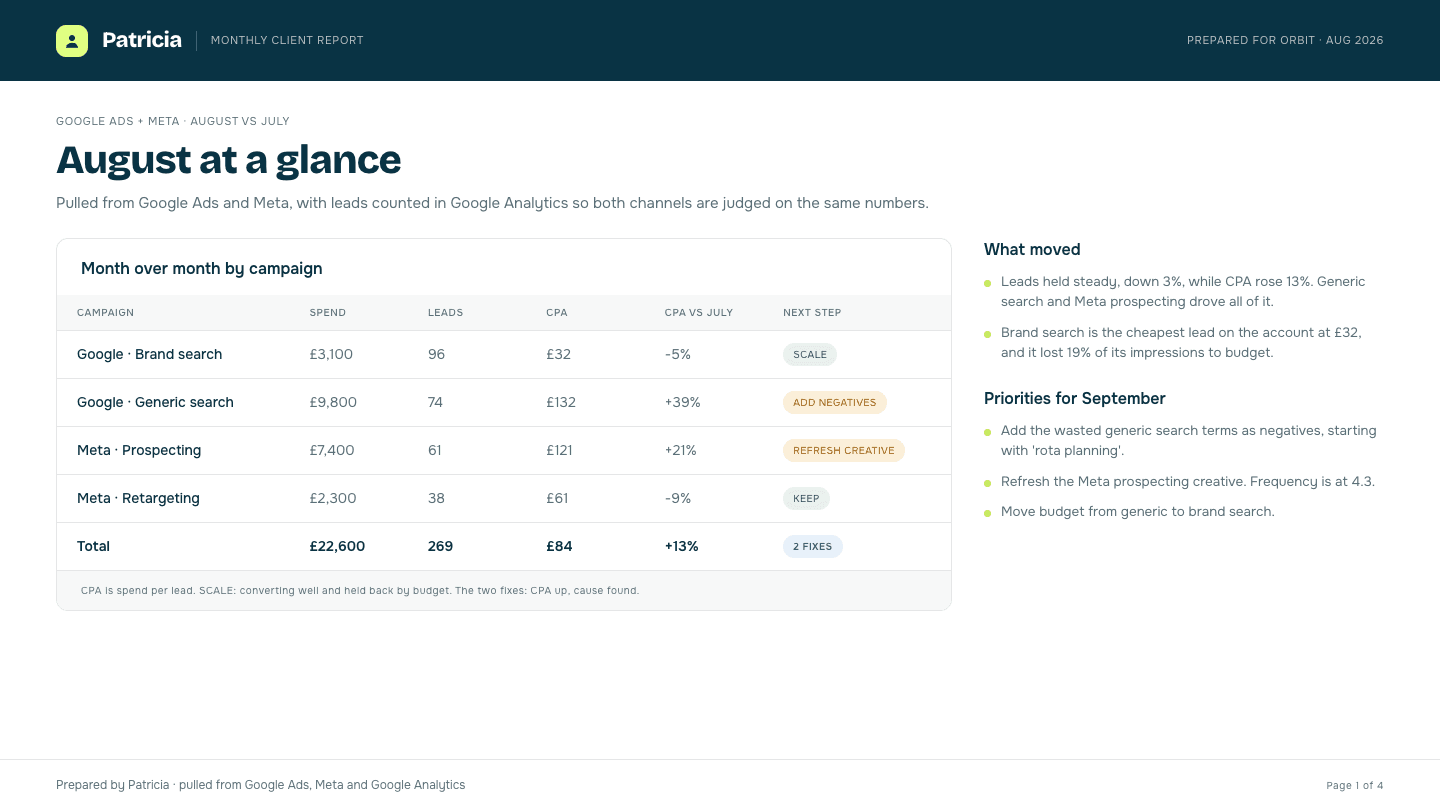
For an agency, those jobs sit around the board: the Monday client report, the alert when a client's ad spend jumps, the recap of a call that turns into tasks, the follow-up on what a client still owes you. Some of that touches the PM tool. Much of it lives in ad platforms, email and Slack threads.
 11:53
11:53Asana AI, ClickUp Brain and monday AI: where they overlap
All three PM tools now ship AI agents of their own. Here is what each vendor says they do and cost.
Asana AI
Asana groups its AI under "Agentic Work Management": AI Teammates ("more than 30 prebuilt AI Teammates for marketing, ops and IT"), AI Studio for "no-code automations that intake requests, classify and route tasks, and send alerts", and Asana Dash, which "surfaces your next step from meetings, Slack, and email."
Starter costs $10.99 per user a month billed annually or $13.49 monthly. It includes 5 AI Teammate and Dash requests per user a month, up to 50 per account, plus 50K AI Studio credits. Extra requests cost $0.50 each prepaid or $0.60 pay as you go.
ClickUp Brain
ClickUp calls Brain² "your company AI that self-improves, routes to the best models, and coworks to complete your work." It includes Super Agents, an AI notetaker that "joins your calls, takes notes, knows your schedule", and model choice across Claude, GPT and Gemini.
"Brain2 AI starts at $9/user/month" with 1,500 AI Super Credits. The "Everything AI" plan is $28 per user a month and adds the notetaker, AI fields, automations and Super Agents.
monday AI
monday.com has an agent builder, an AI assistant, a notetaker and prebuilt agents such as Status Reporter and Risk Analyzer. A "simulation mode" lets you validate an agent's actions before you switch it on, and an AI cost center tracks spend per team.
AI runs on credits, with "1,000 credits = €10". Work management plans are per seat, billed annually, from 3 users: Basic 9 euros with 1,000 credits a month, Standard 12 euros with 2,000 credits and the AI agent workforce, Pro 19 euros with 3,000 credits.
The overlap is real. If your pain is inside the board (routing requests, writing status updates, summarising a project), the PM tool's AI may cover it, and you already pay for the seats.
AI coworker vs project management software: side by side
| PM tool | PM tool with its AI | AI coworker in Slack | |
|---|---|---|---|
| Main job | Record of tasks, owners, dates | Same record, with agents that route, summarise and update | Recurring client jobs and coordination across tools |
| Where you use it | The PM app | The PM app, with some Slack and email context (Asana Dash) | Slack or Teams, where the team already talks |
| What it knows | What people typed in | The PM workspace plus connected apps | Every connected tool: PM, ads, email, docs, chat |
| Client reports and spend alerts | No | Not the focus of the AI pages we checked | Core jobs (Patricia: native Google Ads, Meta Ads, LinkedIn Ads) |
| Client-facing approvals | Manual | monday simulation mode; Asana spend limits | Patricia: drafts wait for a named yes before they reach a client; the meeting recap email goes to the invite list by default, and you can narrow it or switch it off |
| Pricing | Per seat | Per seat plus AI requests or credits | Patricia: Founding plan, $45 a month per workspace, every seat included, plus credits on usage |
| Best at | Planning and visibility | Work that starts and ends in the board | Work that crosses tools and clients |
The PM tools win on planning, timelines and client-visible boards, and an AI coworker does not replace those. Lime cells mark where the coworker covers ground the PM tool's AI pages do not claim.
Why do agencies switch from project management tools to AI coworkers?
When we asked AI assistants this question in October 2026, none of the answers named a coworker vendor. They agreed on the same few reasons. In plain terms, with one caveat: in most cases the agency keeps its board.
- The board goes stale. Decisions happen in Slack threads and client calls. Nobody copies them into Asana, so the board shows last week.
- Coordination eats the PM's week. Chasing status, writing recaps and reminding clients about approvals is work a coworker can draft and send for a yes.
- The client work lives elsewhere. Ad spend, campaign anomalies and monthly reports sit in Google Ads, Meta and Looker Studio, with no home in a task board.
- Per-seat AI adds up. AI priced per user grows with every hire, even for people who rarely use it.
- Nobody can answer "who owes what to which client". Promises are spread across email, calls and boards. A coworker with one memory for the agency can answer it in the channel.
Should a small agency keep its PM tool?
Yes, in most cases. Pick one of three setups:
- PM tool alone if projects are few and status updates already happen on time.
- PM tool plus its own AI if the pain is inside the board: intake, routing, summaries.
- PM tool plus an AI coworker if the pain is around the board: reports, spend checks, recaps, follow-ups and promises made in Slack.
A very small shop that uses its board as a to-do list can sometimes drop the board and let the coworker keep the list in Slack. That is the exception.
How Patricia works with Asana, ClickUp, monday.com, Trello and Jira
Patricia's integrations page lists Asana and ClickUp ("tasks and due dates per client, and what is slipping this week"), monday.com ("boards, items, column values and updates across the client projects"), Jira, and Trello in its setup guides.
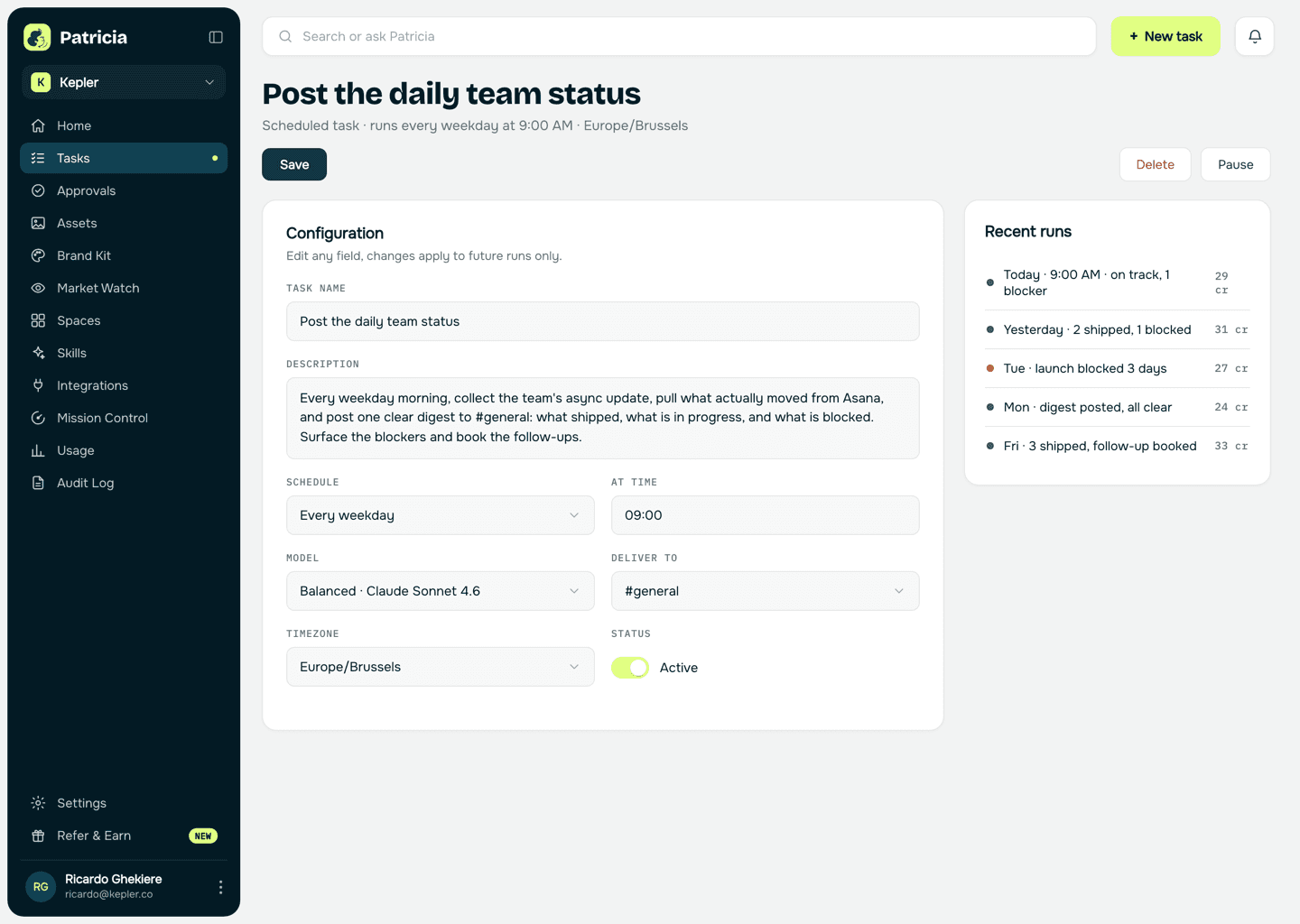
In practice she flags what is slipping in Slack and turns call recaps into tasks. Her company brain answers who owes what to which client. She also runs the jobs the board never held: client reports and ad spend alerts. Client-facing drafts wait for a named yes before they reach a client. The one exception is the meeting recap email: by default it goes to everyone on the invite, and you can narrow it to the team or switch it off.
Patricia's Founding plan is $45 a month per workspace, every seat included, with 20,000 credits included every month and more credits billed as you use them (pricing). For the wider field, see the best AI coworkers for agencies.
FAQ
Can an AI coworker replace Asana, ClickUp or monday.com?
For most agencies, no. The PM tool stays the record of tasks, owners and due dates, and clients often see it. An AI coworker works on top of it: it reads what is slipping, chases owners in Slack and turns call recaps into tasks. A very small shop that uses its board as a to-do list may drop the board, but that is the exception.
What is the difference between Asana AI and an AI coworker?
Asana AI (AI Teammates, AI Studio and Asana Dash) works on the work inside Asana: it intakes, routes and moves tasks, and Dash surfaces next steps from meetings, Slack and email. An AI coworker lives in your team chat and works across every tool, including ad platforms and client email, and runs jobs such as client reports and spend alerts that have no home in a task board.
Is ClickUp Brain good for agencies?
If your agency already runs in ClickUp, Brain is the cheapest way to add AI there: ClickUp lists Brain from $9 per user per month and an Everything AI plan at $28 per user per month with Super Agents and an AI notetaker. It is priced per user, and its context is your ClickUp workspace plus the apps you connect.
Does Patricia work with Asana, ClickUp, monday.com, Trello and Jira?
Yes. Patricia's integrations page lists Asana and ClickUp (tasks per client and what is slipping this week), monday.com (boards, items and updates across client projects), Jira, and Trello in its setup guides. She works from Slack, with Teams in beta.
How much does it cost to add AI to a project management tool for 10 people?
At list prices on 27 October 2026: ClickUp Brain from $9 per user per month, so $90 for 10 people. Asana Starter is $134.90 a month for 10 users on monthly billing, with 5 AI requests per user up to 50 per account. monday.com Standard is 120 euros a month for 10 seats billed annually, with 2,000 AI credits. Patricia's Founding plan is $45 a month per workspace, every seat included, with 20,000 credits included and more credits billed as you use them.
Why do agencies switch from project management tools to AI coworkers?
Mostly they add one rather than switch. The common reasons: the board goes stale because updates happen in Slack, project managers spend hours chasing status and writing recaps, client reports and ad spend checks live outside the PM tool, and per-seat AI add-ons get expensive across a whole team.
Vendor facts checked on each vendor's own site on 27 October 2026. Prices change; check before you buy.

Growth Manager at Patricia. He runs Patricia's SEO, AI visibility and YouTube, and writes about how small agencies split work between their tools and an AI coworker.