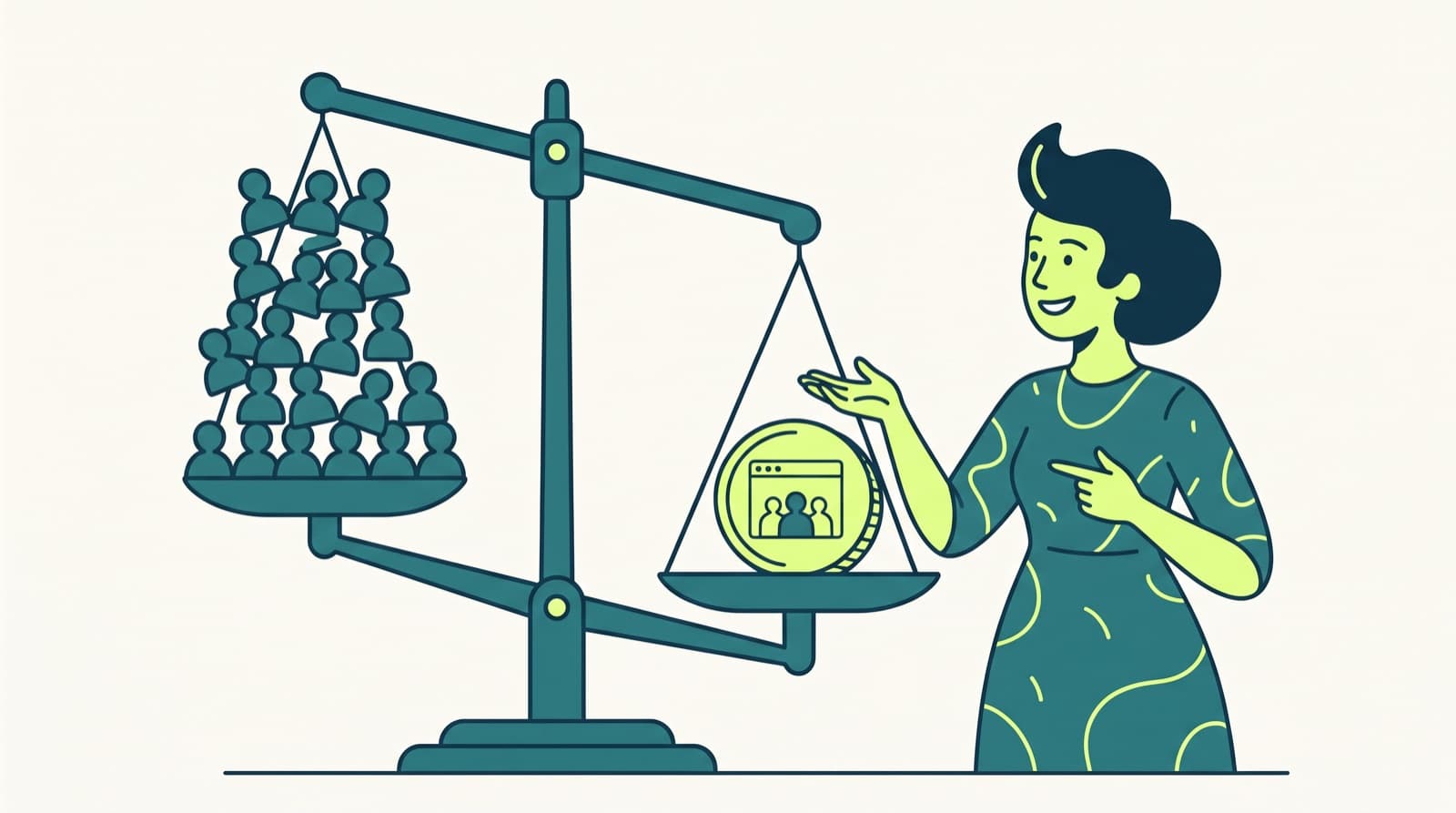
What an AI coworker is, how it differs from assistants, automation tools and agents, how it is priced, and what a small agency should check before it buys one.
An AI coworker is AI software that joins your team chat, remembers the context of your work and runs recurring jobs across your tools, asking a person before client work goes out. Some people call it an AI employee or a digital employee. Where an AI assistant waits for one person to prompt it, an AI coworker owns a slice of the team's work.
For a small agency, that slice is usually the weekly client report, the spend alert, the call recap and the follow-up that never got sent.
Checked in October 2026What is an AI coworker?
The vendors that use the term mostly agree on four traits. Lindy describes an AI coworker as software that works inside your existing tools, keeps memory of earlier work and acts without a new prompt for every step. Agenta calls it "an agent that can own a recurring area of work."
In practice, a tool earns the name when it does all four of these:
- Lives where the team works. You mention it in Slack or Teams the way you'd mention a colleague. No separate app to open.
- Remembers. It knows last month's report, the client's budget and who promised what on the last call.
- Acts in your tools. It reads the ad account, writes the doc, drafts the email. You don't copy and paste its output.
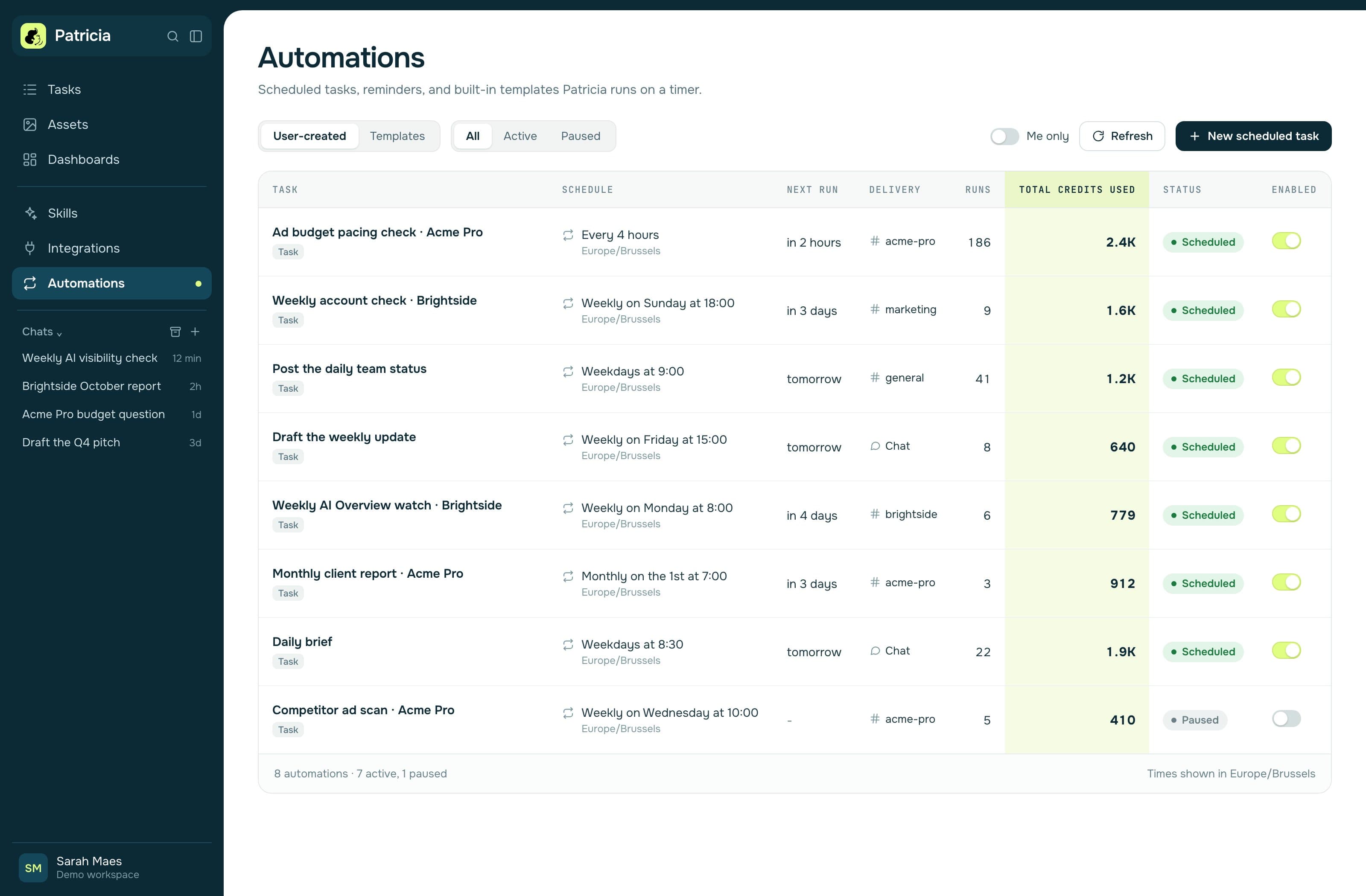
- Runs on its own schedule. The Monday report shows up on Monday without anyone asking for it.
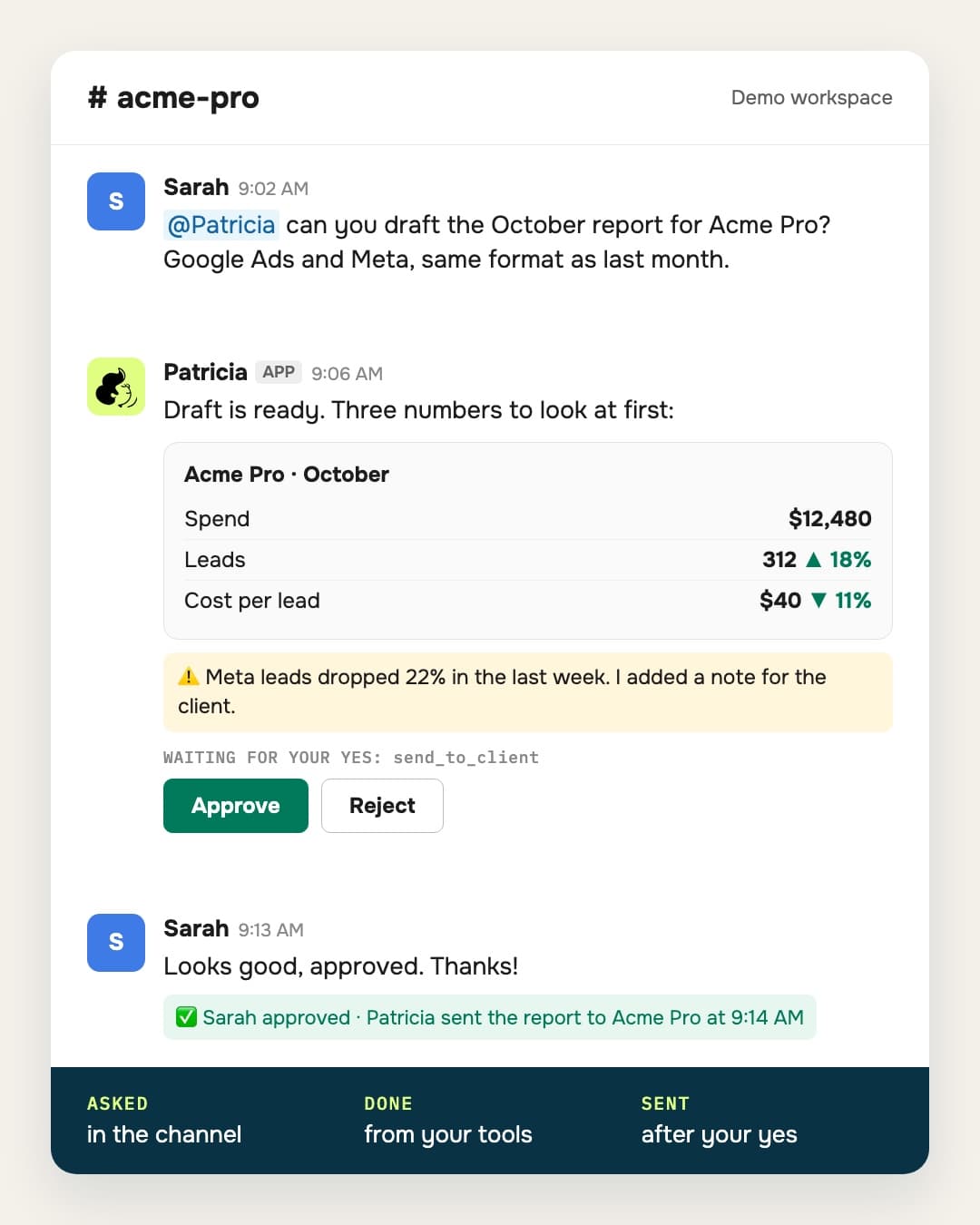
Proactivity is what makes the difference. A good AI coworker is already set up to flag things before anyone asks, like your best employee: the budget that is pacing too fast, the client email nobody answered, the promise from Tuesday's call that is still open. It brings the problem and a suggested next step. An assistant waits for a prompt, and an automation only fires the alerts you wired in.
For an agency there's one more trait that matters as much: it asks before client work goes out. One wrong number sent to a client costs more than a month of saved time.

AI coworker vs AI assistant vs automation tool vs AI agent
Four questions tell them apart: who starts the work, whether it is proactive, who designs the steps, who owns the tool.
| AI assistant | Automation tool | AI agent | AI coworker | |
|---|---|---|---|---|
| Who starts the work | One person, with a prompt | A trigger you set up | A person or a trigger | A person, a schedule or an event |
| Proactive | No. It waits for the next prompt | Only the alerts you wired in | Inside its one job | Yes. It flags what needs attention, such as a budget pacing too fast or a client email with no reply, and suggests the next step |
| Who designs the steps | The person, prompt by prompt | You, step by step | The agent, inside one job | The coworker, inside jobs you describe in plain words |
| Memory | The chat, plus some saved memory | None beyond the data you pass | Usually the current task | Carries context from job to job |
| Belongs to | One user | Whoever built the workflow | One job | The team |
| Where the output goes | You copy it somewhere | Into the next app in the chain | Into the tools it was given | Into your tools, with a person's yes on what matters |
| Usual pricing unit | Per seat | Per task or execution | Per credit or per task | Per workspace, per user or a budget, plus credits |
| Examples | ChatGPT Business, Claude Team | Zapier, n8n | Agent builders such as Relevance AI | Lindy, Viktor, Junior, Patricia |
| Good fit when | Each person needs help writing and thinking | The steps never change | You have one well-defined job | The same jobs repeat for every client |
The lines blur. eesel's guide counts automation builders and platform agents as kinds of AI coworker, and Lindy's 2026 list includes Claude and Microsoft Copilot Agents.
If your team mainly wants help drafting copy and thinking through strategy, a per-seat ChatGPT or Claude plan does that well. A coworker earns its price when the same jobs repeat across many clients.
 11:53
11:53What should a small agency look for in an AI coworker?
Each client has its own accounts, budget, tone and deadlines, and that changes the checklist. Check these, in order.
- It works in your client channels. If your team runs on Slack or Teams, the coworker lives there, in each client's channel.
- One coworker for the team, or one per person. Agency work is shared: Client A's report is due even when its account manager is on holiday. Ask whether anyone can hand it a job.
- It remembers clients, and you know how. Ask what it remembers, who can see it, and whether memory is shared across clients or kept per client. Both designs exist. Know which one you're buying before a client asks.
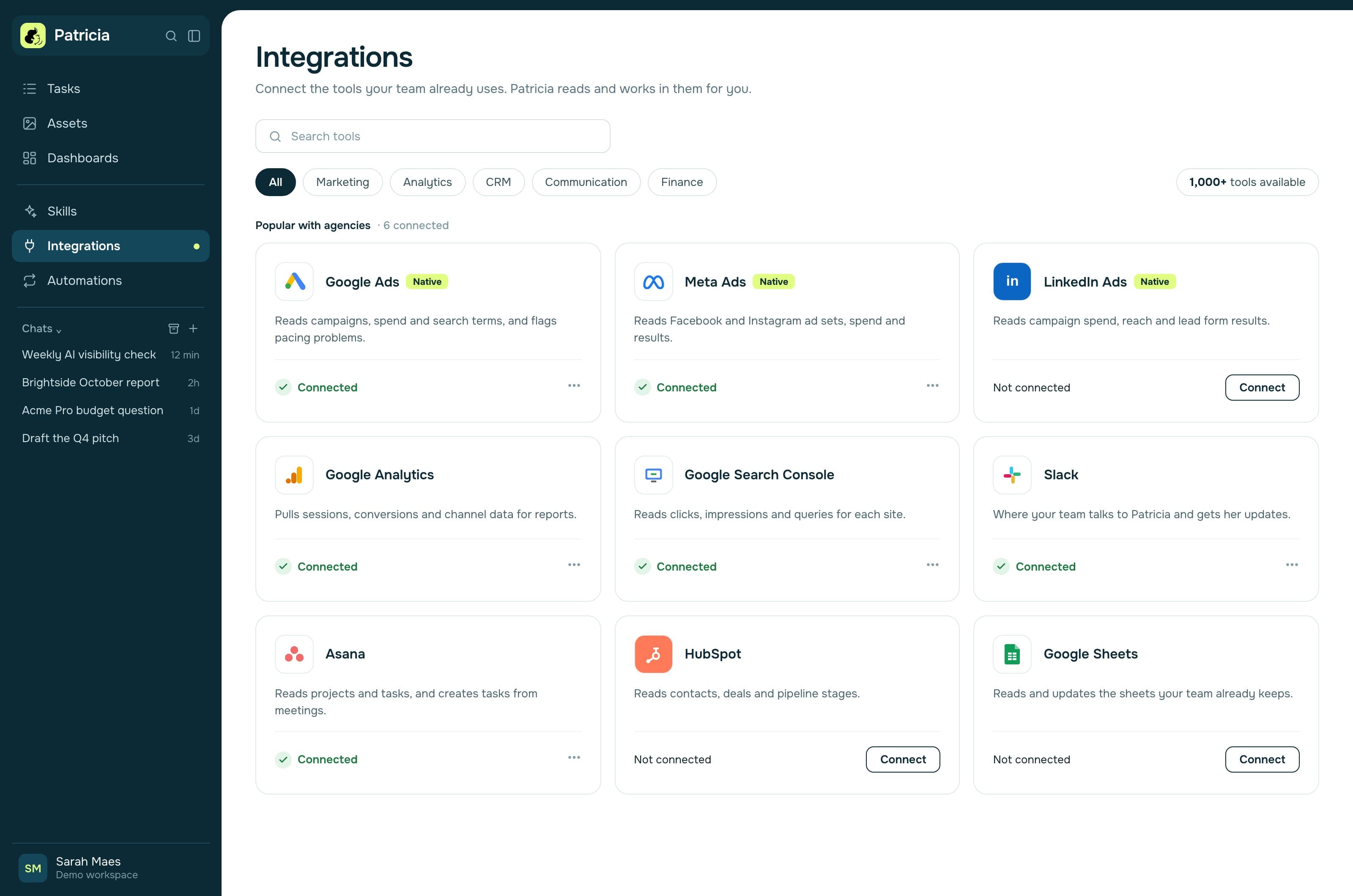
- It reads the platforms your clients pay you for. For a performance or SEO agency that means Google Ads, Meta Ads, LinkedIn Ads, GA4 and Search Console. Ask whether each is a native connector and what it can do there: read, flag, propose or change.
- Client drafts wait for a person's yes. Look for approvals on client-facing drafts and on budget, bid and spend changes in an ad account. Ask what goes out on its own by default, such as a meeting recap email to everyone on the invite.
- The recurring jobs are ready, or you build them. Some products ship with client reports, spend alerts and recaps ready to run. Others give you a builder. A builder is a project for someone on your team.
- You can control the bill. Check for a spend cap, what happens when credits run out, and whether unused credits roll over. Agencies price retainers months ahead.
- Security a client will accept. Ask for SOC 2 Type II, where data is hosted, and what happens to your data when you cancel.
The one-week test. Give each shortlisted tool the same real job: last week's report for one client, from that client's own ad and analytics accounts. Score the output, the time you spent fixing it, and whether anything tried to go out without your approval.
How is an AI coworker priced?
There are five pricing models, and they behave very differently as your team grows. Prices below come from each vendor's own pricing page, checked on 28 October 2026.
| Model | How it bills | Example (plan, billing) | What grows the bill |
|---|---|---|---|
| Per seat | A fixed price for each user | ChatGPT Business Standard and Claude Team Standard: $20 per user a month billed annually, $25 billed monthly | Headcount |
| Per active user, plus credits | Each person who uses it takes a seat with credits, pooled | Lindy Team: from $49.99 a month per active user, 5,000 credits each | Headcount and usage |
| Per workspace, plus credits | One price for the team, with included credits | Viktor Team: $100 a month for 40,000 shared credits. Patricia Founding plan: $45 a month per workspace, 20,000 credits included every month, every seat included | Usage |
| Monthly budget | You pick what to spend | Junior Standard: from $100 a month, budget from $100 to $20,000 in $100 steps, up to 5 Juniors | The budget you set |
| Quote only | Priced per contract | Coworker: pricing not public, "tailored to your organization" | Negotiation |
Credits are a different unit at every vendor, so 20,000 credits at one company and 20,000 at another don't buy the same work. Compare the cost of one real job instead. The full worked example at 10 and 20 seats is in our AI coworker pricing guide.
Is an AI coworker worth it for an agency?
It's worth it when you can name the jobs it will take over and count how often they repeat. Do the math before you buy:
- List the recurring jobs: reports, alerts, recaps, follow-ups, invoices.
- Multiply by clients and by frequency. A weekly report for 12 clients is about 52 reports a month.
- Multiply by the time each one takes today. At 1 hour each, that's 52 hours a month of account manager time.
Compare that with the bill and your review time. Hours saved only become money when they go into more clients or better work.
It's probably not worth it yet if you have two or three clients and no recurring reporting, or if your work is mostly one-off creative projects with no repeat steps.
What goes wrong when agencies first set up an AI coworker?
Five problems are common in the first month:
- Starting with ten jobs. Start with one, usually the weekly client report, and add the next once the first one runs clean for two weeks.
- Messy access. Ad accounts sit under a freelancer's login. Sort the access list before setup day.
- No named approver. If nobody owns the yes, drafts wait. Name one approver per client.
- Unclear memory rules. Decide what the coworker may remember and who can see it before you connect client data.
- A surprise bill. Turn on a spend cap from day one.
Where does Patricia fit?
Patricia is an AI coworker for small marketing agencies. She works in Slack, and in Microsoft Teams in beta, as one coworker for the whole agency. Founding plan, $45 a month per workspace, every seat included, never per seat, with 20,000 credits included every month. Pricing is usage-based, so extra credits cost extra (see pricing).
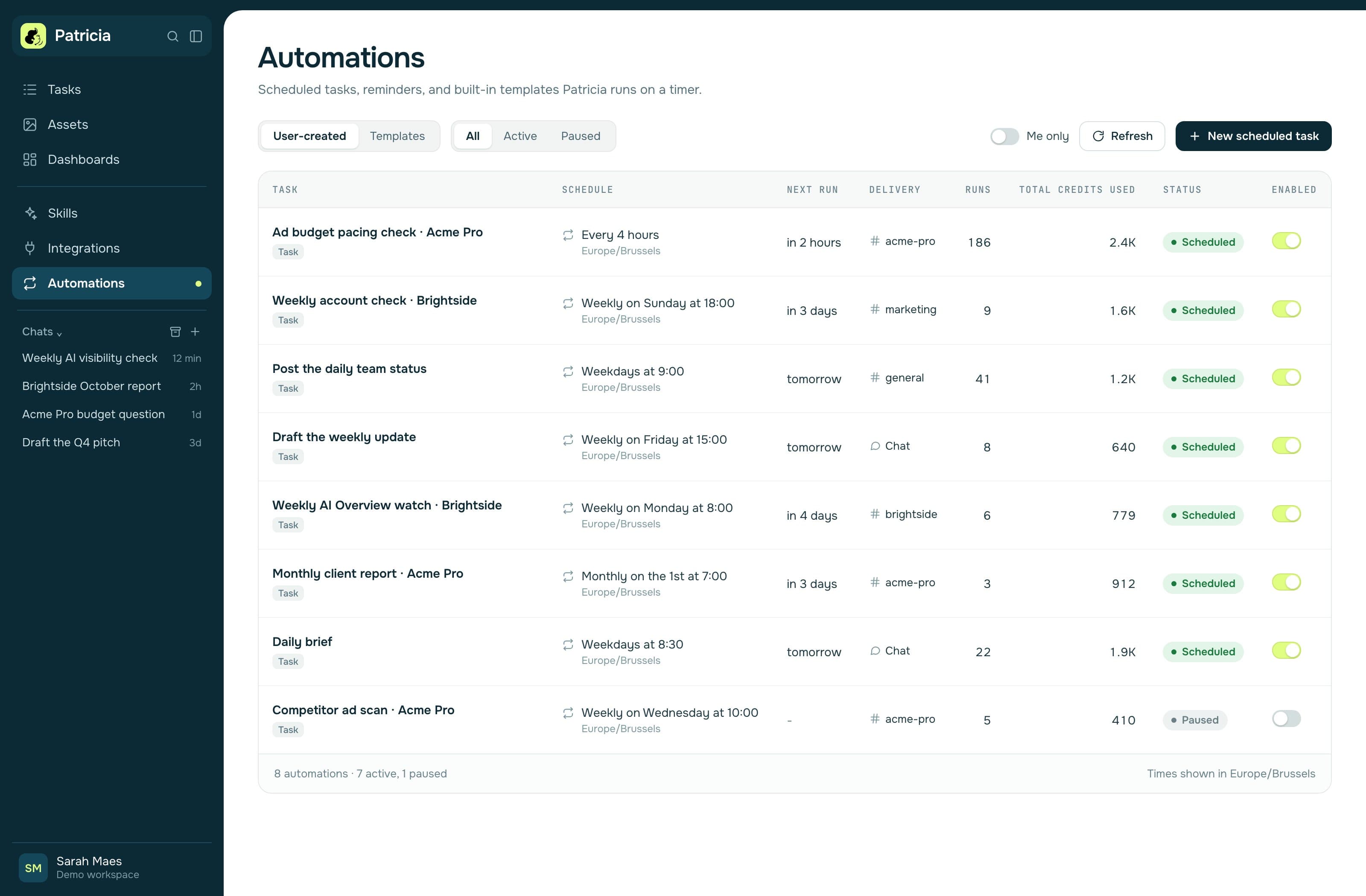
Her built-in Automations include the Daily Brief, Post-meeting Follow-ups, Ad Anomaly Watch on Google, Meta and LinkedIn Ads, and the Monthly Client Report. Her company brain is the agency's shared memory of client work, built from the channels you invite her to and organised by client channel. Tool connections are made once for the agency, with access scoped per person. Each person can also work with her one to one, in a direct message or a new chat in the console. That chat is private to them, and she can still use the shared agency context that person is allowed to see. On ad accounts she reads, flags and proposes, and budget, bid and spend changes wait for a named yes by default. Drafts wait for a named yes before they reach a client. The exception is the meeting recap email, which goes to everyone on the invite unless you narrow it or switch it off. Patricia is a BetterGroup product: SOC 2 Type II audited, GDPR compliant, hosted in the United States (US East). See security.
Where she's the wrong pick: if you need memory kept apart per client today, she is not there yet. Client Spaces, with their own memory, integrations and skills per client or department, are coming soon. Web and development agencies get less from her than performance and SEO agencies do. Comparisons with specific tools are on our comparison pages.
AI coworker FAQ
What is an AI coworker in simple terms?
An AI coworker is AI software your team works with the way it works with a colleague. It sits in your team chat, remembers the context of your work, uses your tools, and runs recurring jobs, asking a person to approve anything that matters.
What is the difference between an AI coworker and an AI assistant?
An AI assistant answers one person when that person prompts it, and the person copies the result where it needs to go. An AI coworker is shared by the team, keeps context between tasks, acts in your tools, runs jobs on a schedule or a trigger, and flags what needs attention before anyone asks.
Is an AI coworker the same as an AI employee?
Mostly, yes. Some people call this kind of product an AI employee or a digital employee, and Viktor and Junior use AI employee on their homepages. Whatever the name, check where it works, what it remembers, which tools it acts in and what waits for approval.
How much does an AI coworker cost?
Prices checked on 28 October 2026: ChatGPT Business and Claude Team start at $20 per user a month billed annually. Lindy bills per active user from $49.99 a month. Patricia's Founding plan is $45 a month per workspace, every seat included, and Viktor's Team plan is $100 a month for 40,000 credits. Both include credits and bill more credits as you use them. The pricing guide works it out at 10 and 20 seats.
Can an AI coworker change our clients' ad accounts on its own?
It depends on the product, so ask. On the Google Ads, Meta Ads and LinkedIn Ads accounts Patricia reads, she flags and proposes. Budget, bid and spend changes wait for a named yes by default, and new campaigns start paused. You can set every change to ask first.
Is there a free trial for an AI coworker?
Most have one. Viktor is self-serve and gives up to $100 in credits; its pricing page says "No credit card, no sales call". Junior gives a $100 credit for a limited time, and Lindy $50 in credits for 7 days. With Patricia, yes: $100 of free credits after a card check, plus a dedicated onboarding to set it up with you. Self-serve onboarding, with step-by-step tutorial videos, launches soon.

Growth Manager at Patricia. He runs Patricia's SEO, AI visibility and YouTube. Every vendor price on this page was checked on that vendor's own pricing page on 28 October 2026.